

How to modify preferences
Configure your Banktrack account preferences.
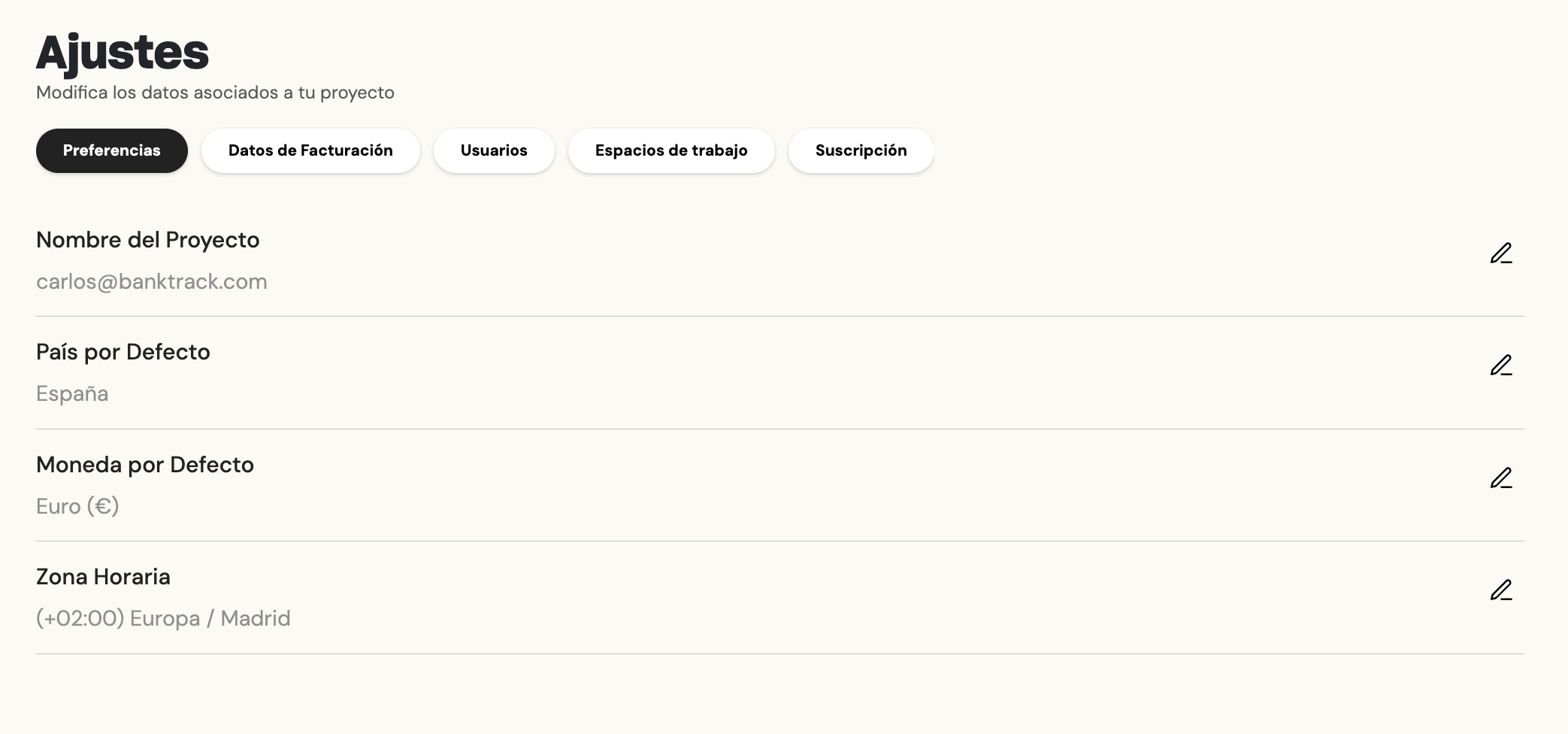
In this section, you can edit the following:
- Project Name: The name that appears on your profile button.
- Default Country.
- Default Currency: We will use the currency defined here to calculate total balances, but each transaction will be associated with its original currency.
- Time Zone: To receive the periodic report at the time adjusted to the time zone you are in.
To access this section, follow these steps:
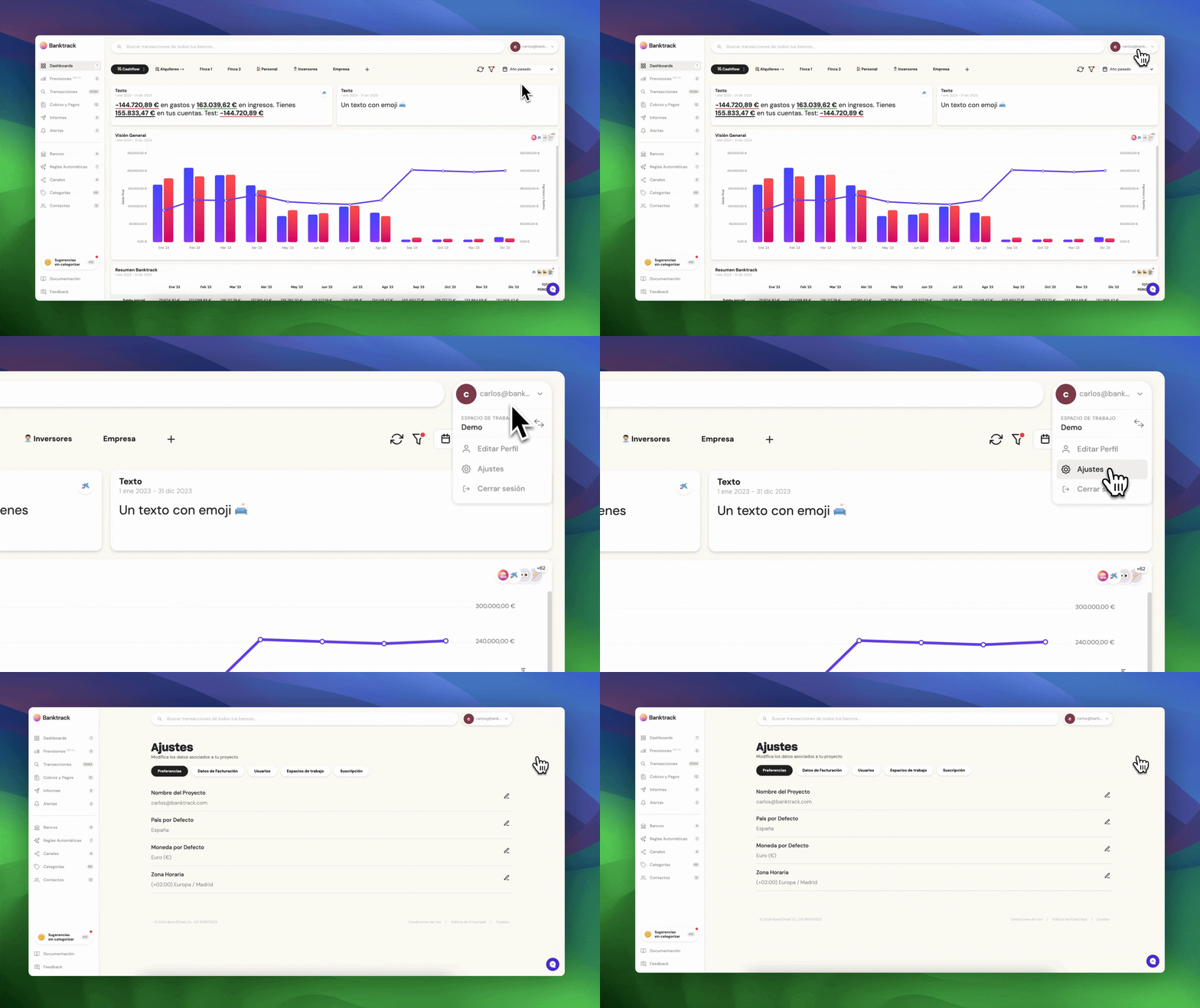
Then select the Preferences section:
Was this page helpful?
Last updated Dec 29, 2025
Built with Documentation.AI